
Focus that fits your life.
Every day, weekdays, weekends, or your own schedule. Create windows around the moments you want to be intentional.
Your time to focus9:00 AM – 11:00 AM · Weekdays
OnLess wondering where the day went.
More knowing what made it good.
Set your focus windows, understand your screen time, and give yourself credit for the minutes that matter.
SMALL STEPS. BETTER DAYS.
A little planning. A moment of reflection. A clearer picture of your day.
Choose the hours you want to be intentional with. Set a one-off window or a repeating schedule that fits your day.
Your schedule, on your terms.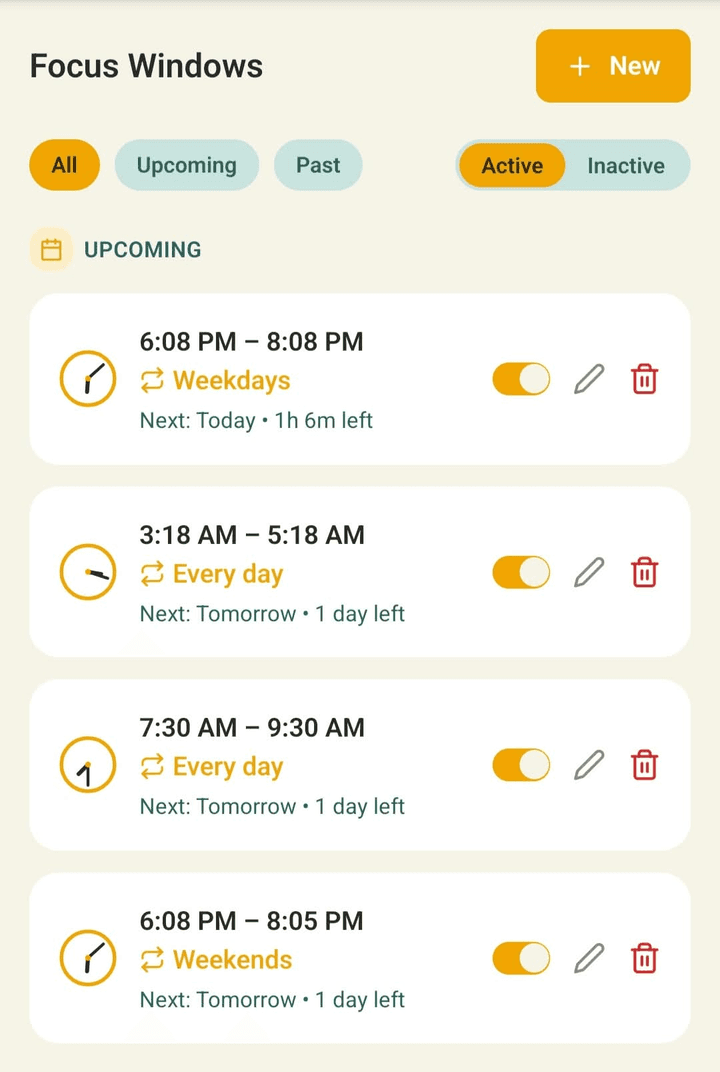 FROM THE APP
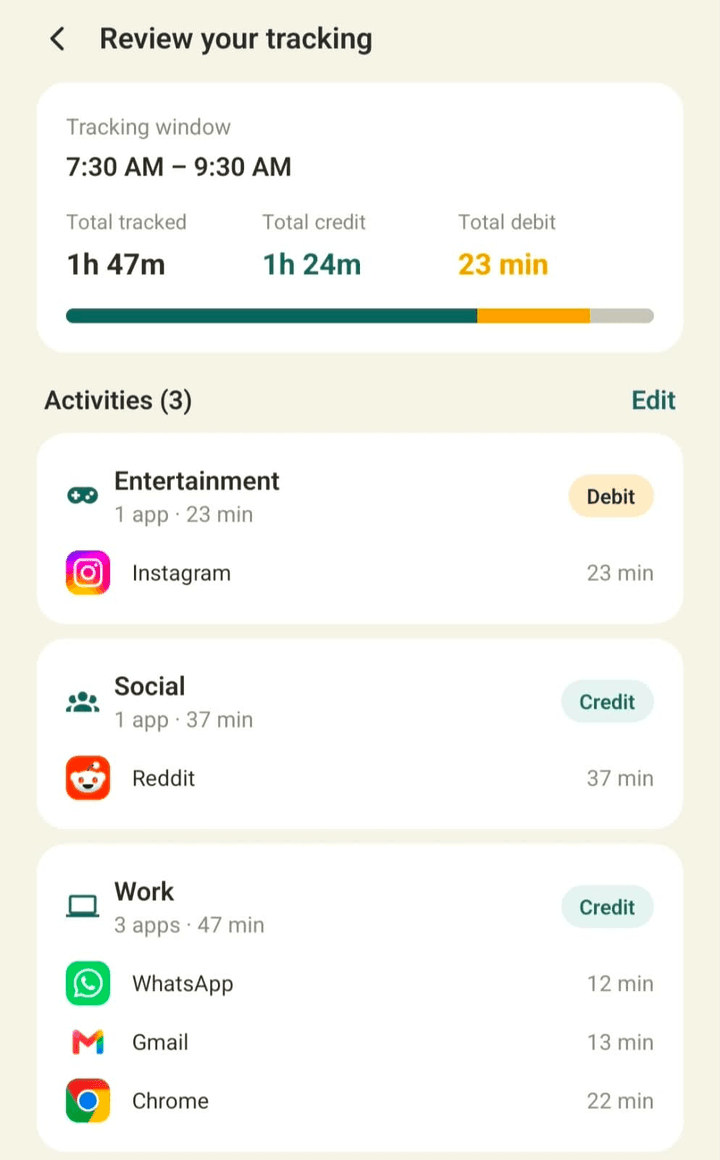
SAME MINUTES. DIFFERENT MEANING.
A video could teach you something new. A chat could move a project forward. Only you know what that time meant.
Mark time that supported your intention as a Credit, and time that pulled you away as a Debit.
Go on, try changing a labelWas this time well spent? You get to decide.
Just an example. Your choices here aren't saved.
THOUGHTFUL LITTLE DETAILS
Tools that help you understand your habits, one day at a time.
Every day, weekdays, weekends, or your own schedule. Create windows around the moments you want to be intentional.
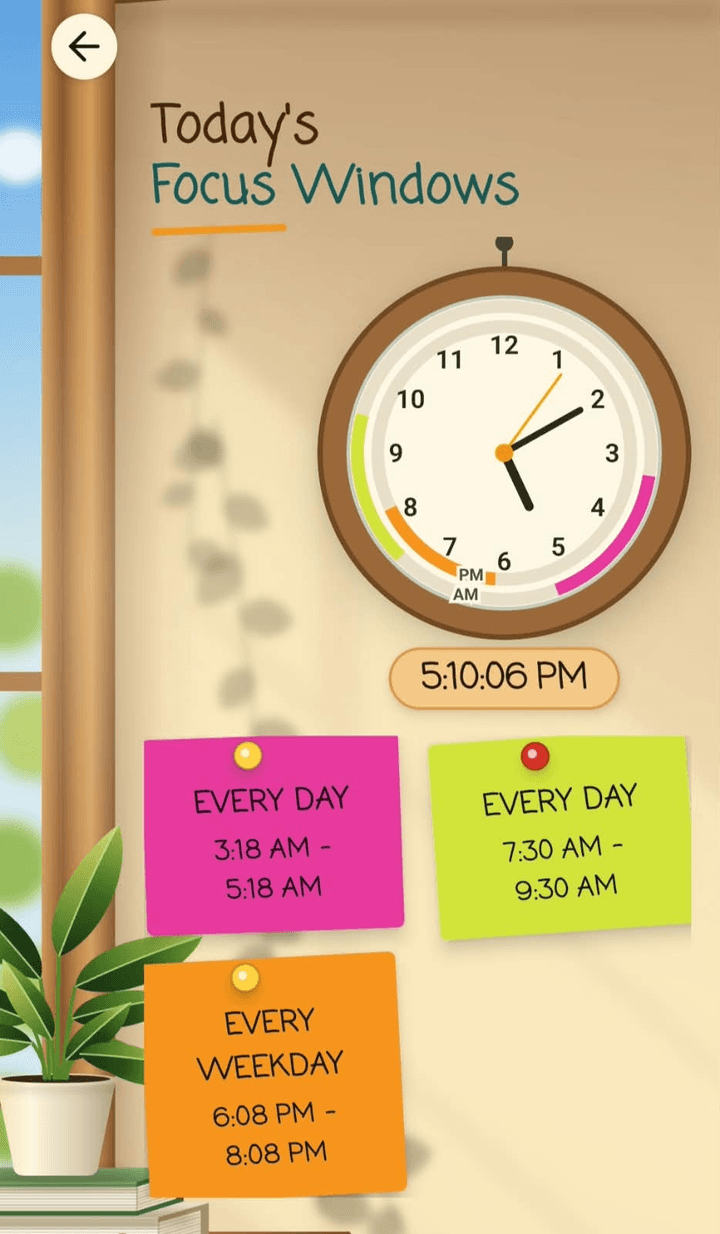
The day clock brings your focus windows together in one playful, visual view.
Look back at Credits, Debits, and daily breakdowns. Your last 30 days are included; Pro unlocks older history.
Little reflections add up.Speak or type your review and let AI suggest Credits and Debits. You check the suggestions before saving.
Also includes full history and deeper usage analysis.A LITTLE MORE CLARITY
Get to know GoodDay Credit before your first focus window.

Enter your email and click Join the waitlist. We will store your address in our waitlist so we can email you when GoodDay Credit launches on Google Play. You do not need an account, and joining the waitlist does not create an app account or start a subscription.
GoodDay Credit is an Android app for understanding how you spend your time. Set focus windows, see the apps you used during those windows, and decide which minutes supported your intentions. It brings your schedule, reflection, and progress into one place.
Credits are minutes you consider well spent. Debits are minutes that took you away from what you intended to do. You decide what belongs in each category: the same app can be useful in one window and distracting in another. These are time-based measures, with no monetary value.
GoodDay Credit is built around tracking and reflection. You set the times you want to focus, then review how you spent them. Its focus windows do not block you from opening other apps.
Usage Access lets GoodDay Credit measure which apps you use and for how long, so it can show activity for your focus windows. You enable this permission in Android Settings during setup. Tracking requires this permission.
The free experience includes focus windows, manual reviews, and your last 30 days of history. Pro adds older history, AI-assisted reviews, and deeper usage analysis. Subscription options and prices will be shown in the app when available.
With Pro, you can speak or type a description of what you did and receive suggested Credit and Debit assignments to check before submitting. Voice availability depends on your Android version and speech recognition support. The app explains when cloud speech recognition is needed.
GoodDay Credit is preparing for its first Google Play launch. Join the waitlist with your email to receive a notification when it launches on Google Play. The initial release is for Android; an iPhone release has not been announced.
GOOD DAYS ARE ON THEIR WAY
Your next good habit is coming to Android.
Join the waitlist and be first to hear when we launch.